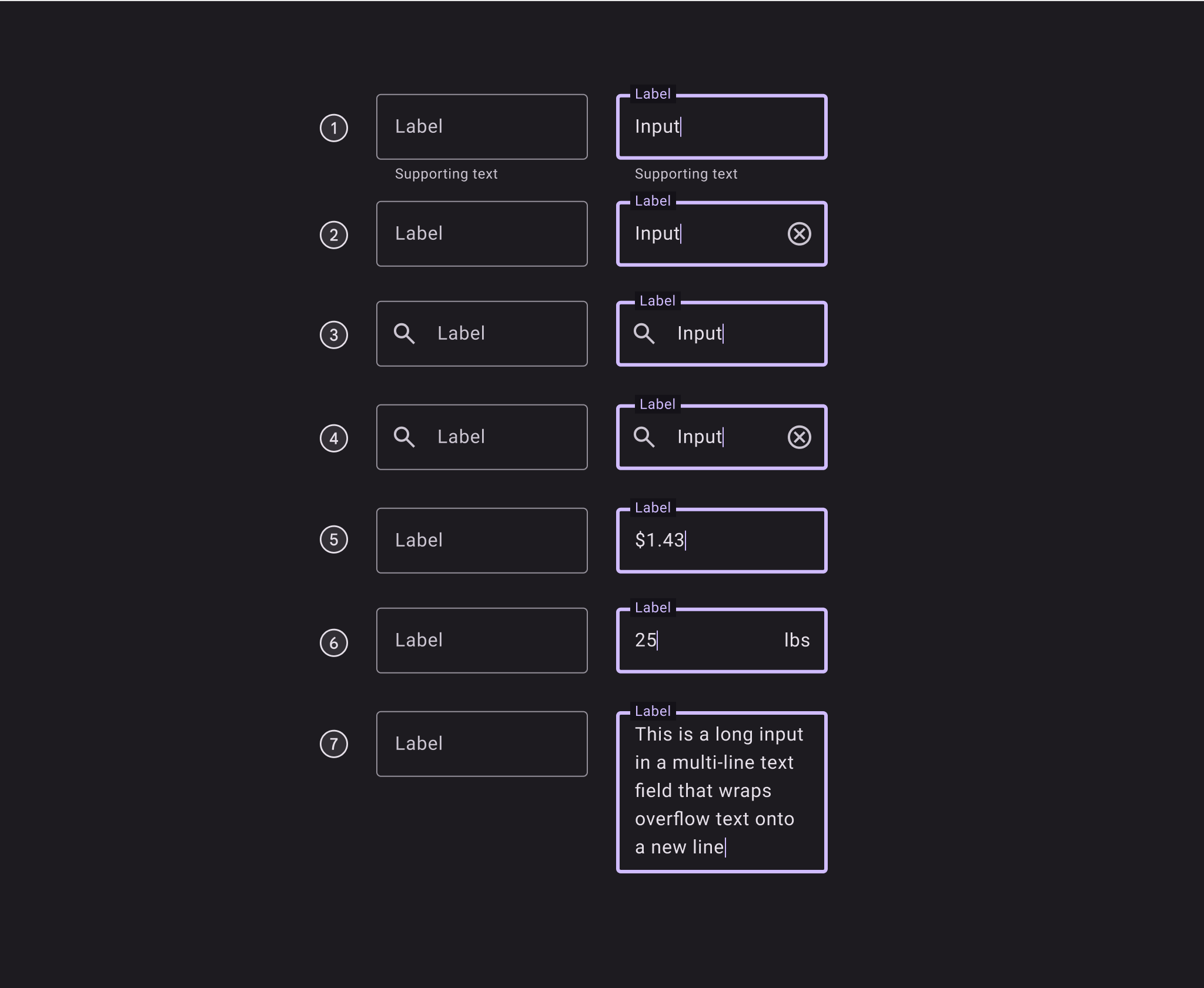
Text fields 文字輸入框
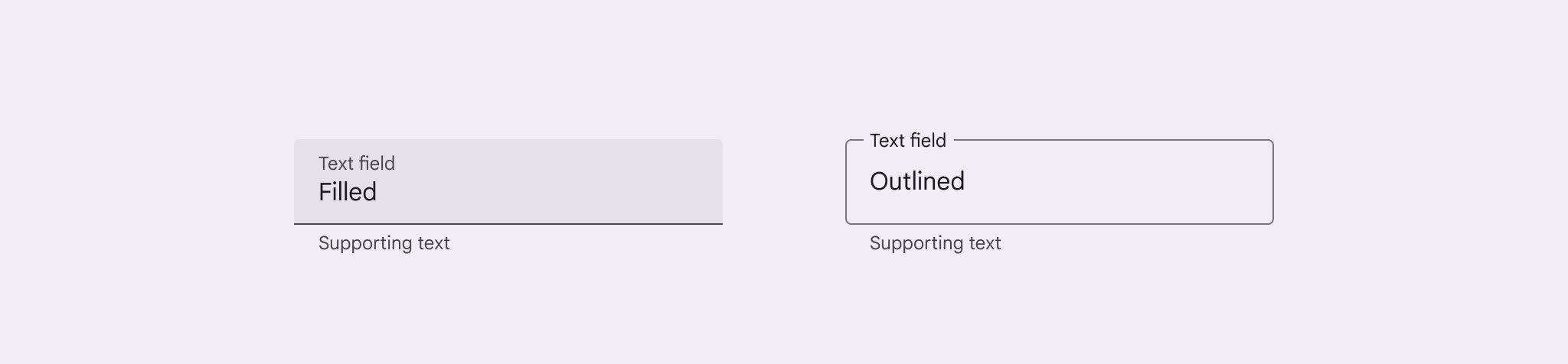
- 文字框外觀要讓使用者知道可以點選輸入
- 有兩種樣式:帶背景色的和只有邊框的
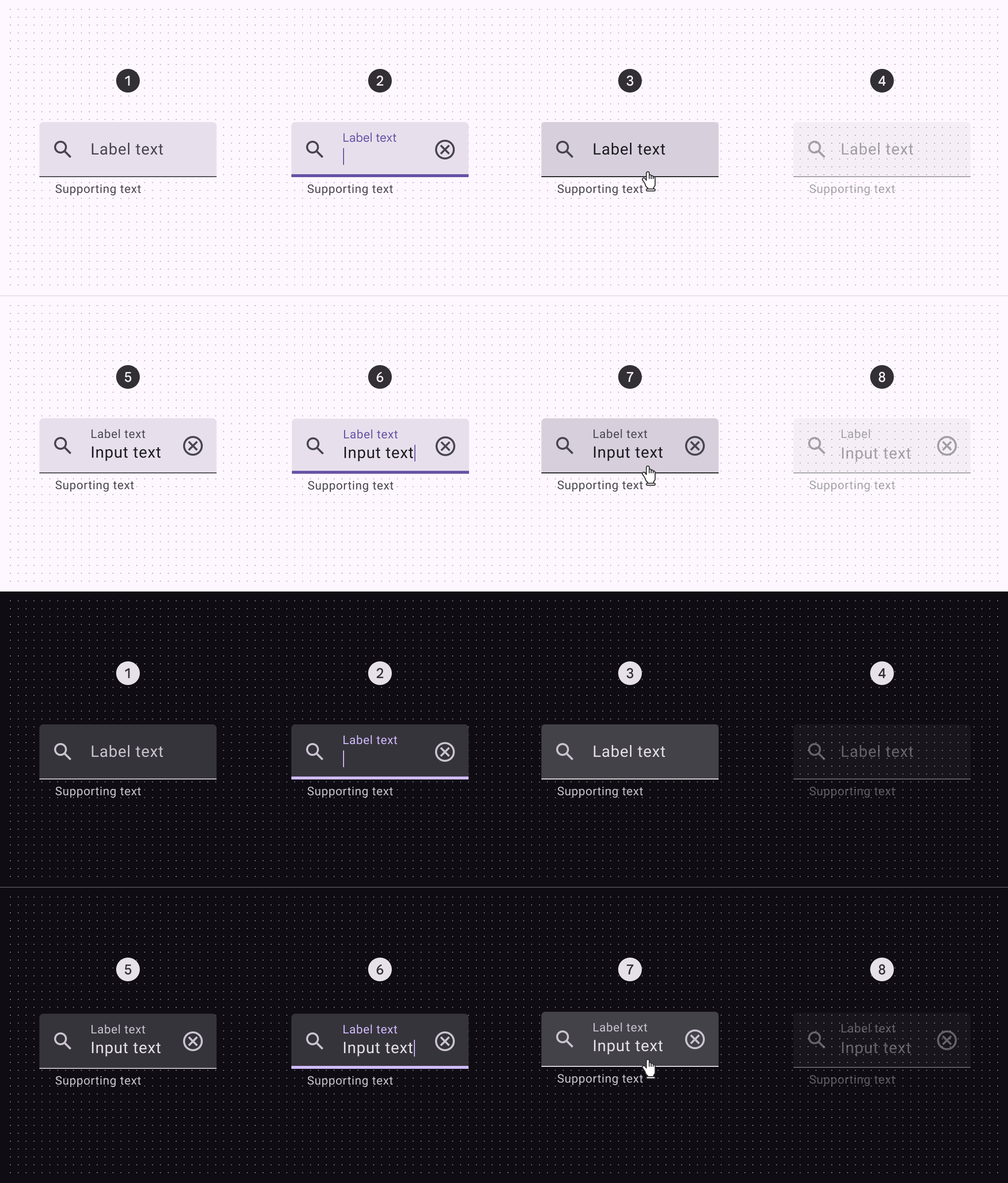
- 使用者能清楚看到文字框當前狀態:是空的、已輸入內容,還是有錯誤
- 使用簡單清晰的提示文字和錯誤提醒
- 這些文字框主要用在填寫表格和彈窗中
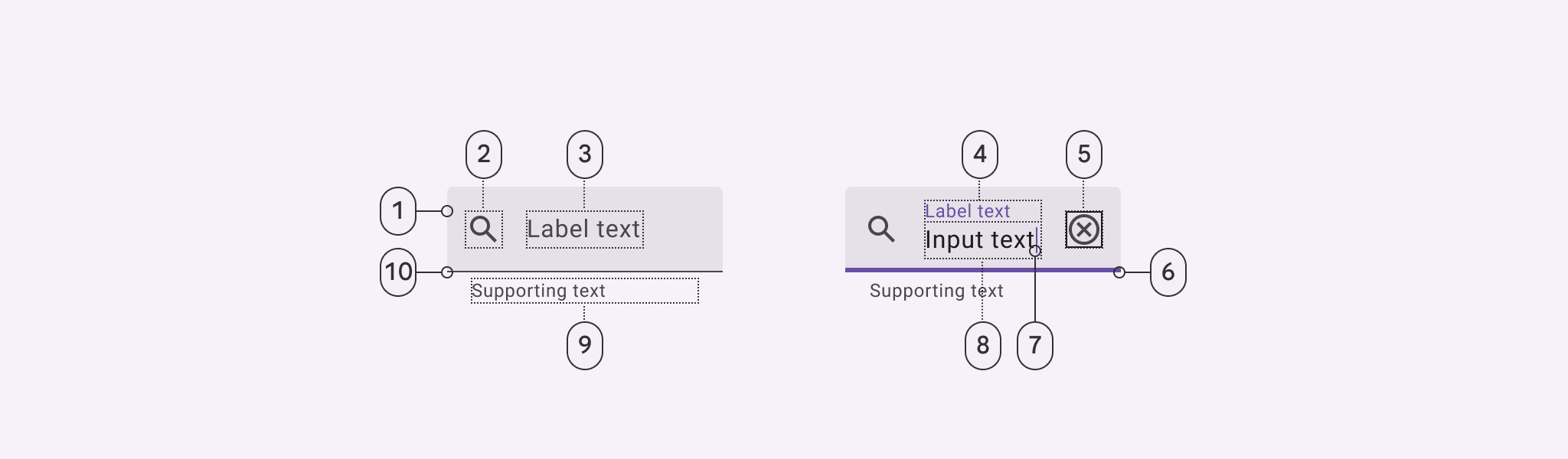
Filled text field 填充文字欄位
Filled text field states 填充文字欄位狀態
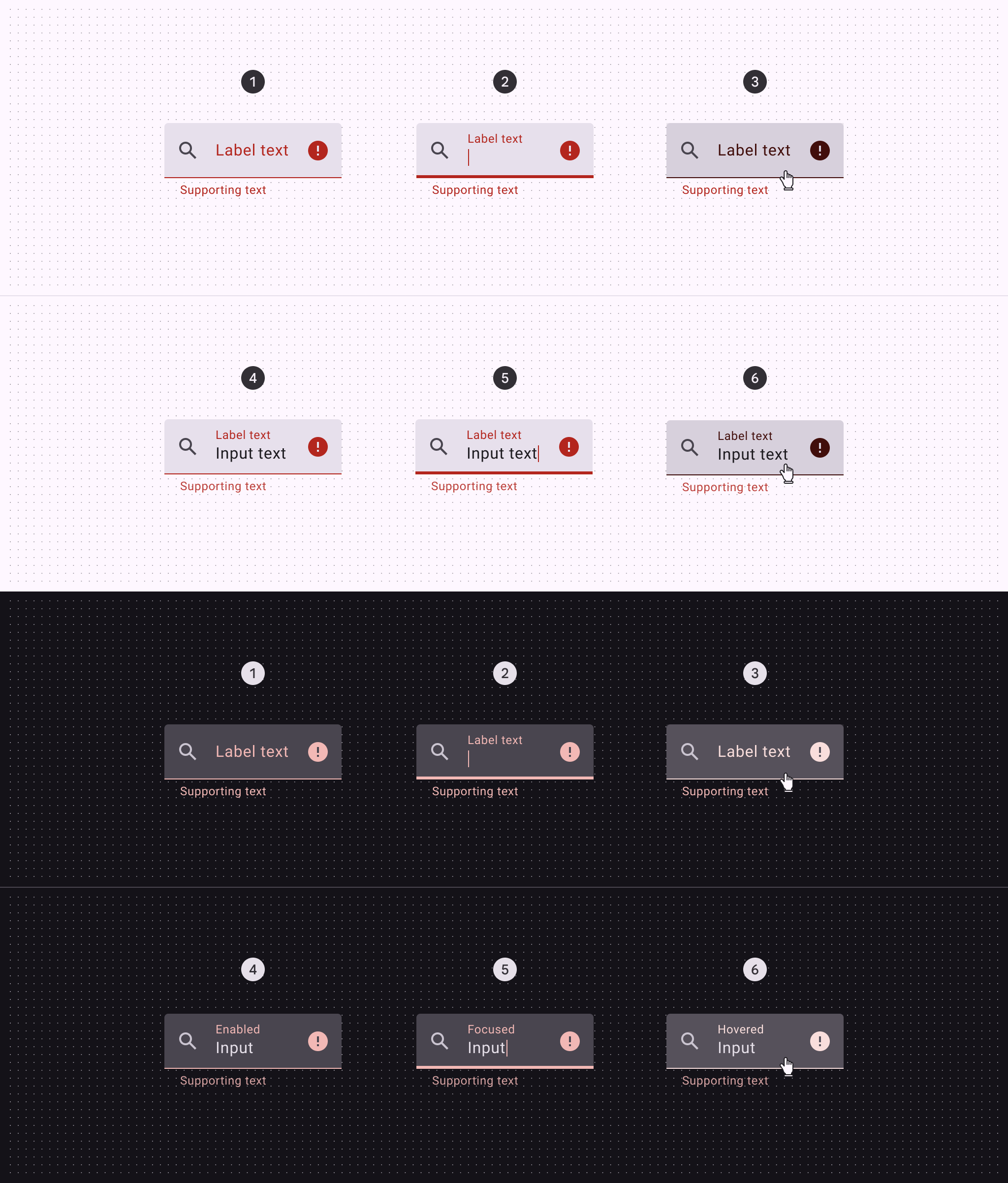
Filled text field error states填充式文字框錯誤狀態
錯誤狀態用紅色顯示提醒使用者有問題。系統會在文字框下方顯示如何解決問題的提示,這些提示會一直顯示,直到問題解決為止。
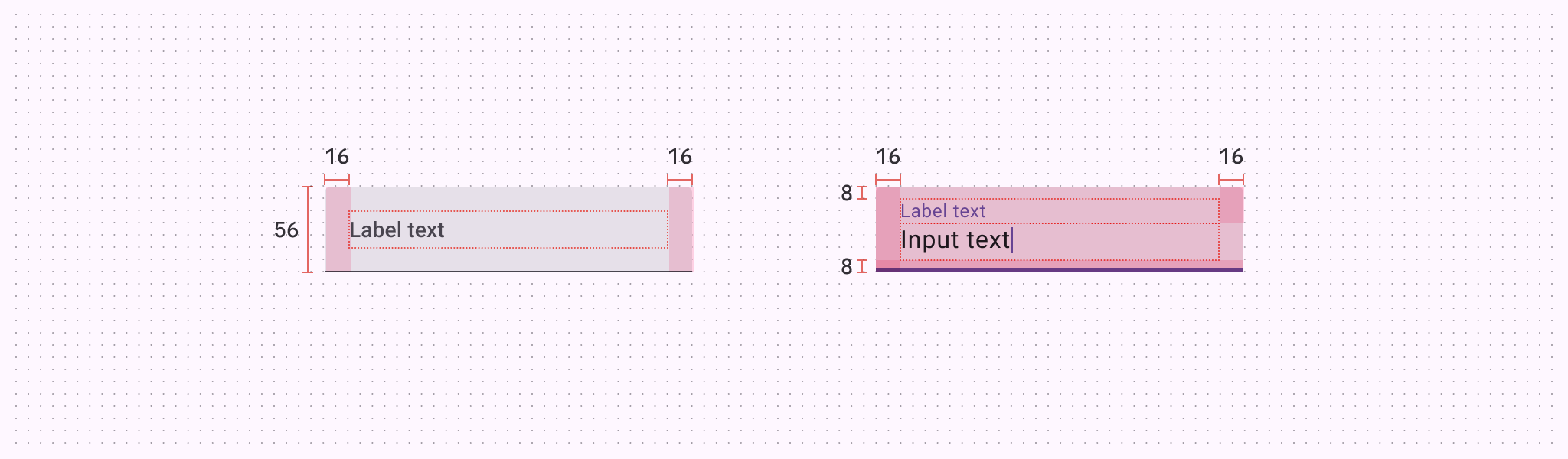
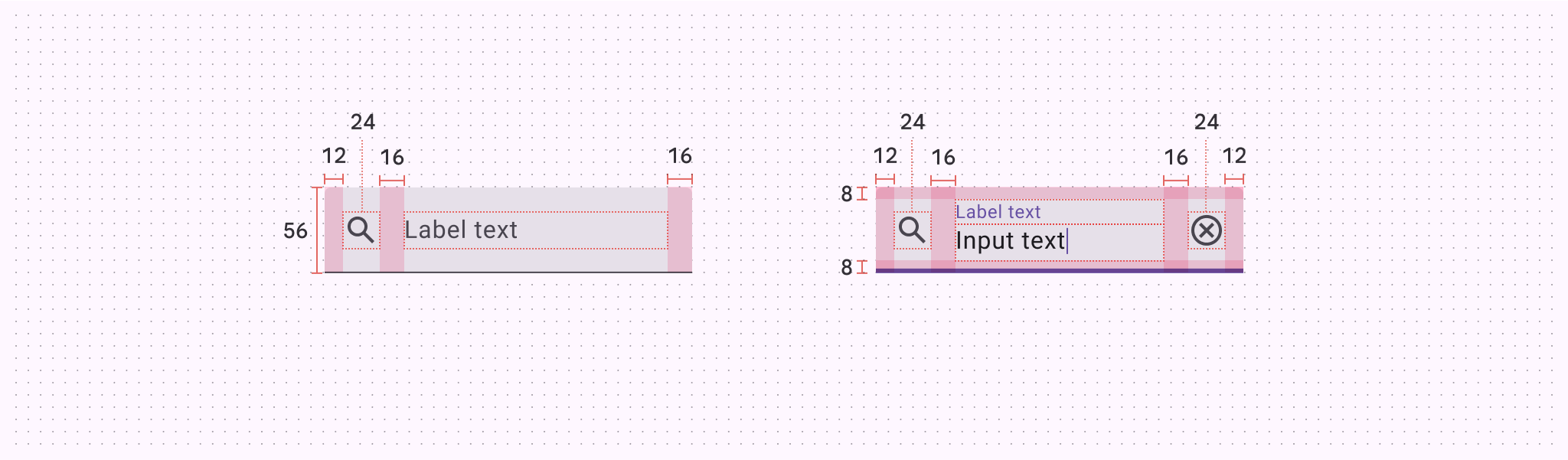
| Attribute 屬性 | Value 值 |
| Default container height預設容器高度 | 56dp |
| Label alignment (unpopulated)標籤對齊(未填充) | Vertically centered 垂直居中 |
| Top/bottom padding 上下填充 | 8dp |
| Left/right padding without icons無圖示時的左右邊距 | 16dp |
| Left/right padding with icons帶有圖示的左右內邊距 | 12dp |
| Icon alignment 圖示對齊 | Vertically centered 垂直居中 |
| Padding between icons and text | 16dp |
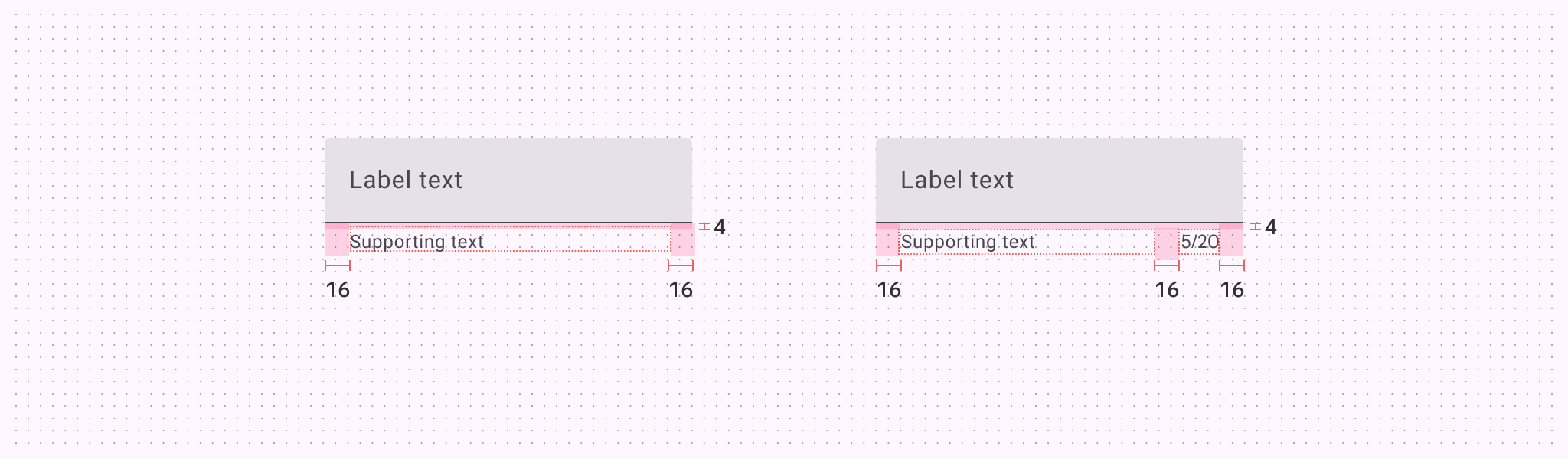
| Supporting text and character counter top padding | 4dp |
| Padding between supporting text and character counter | 16dp |
| Target size 目標大小 | 56dp |
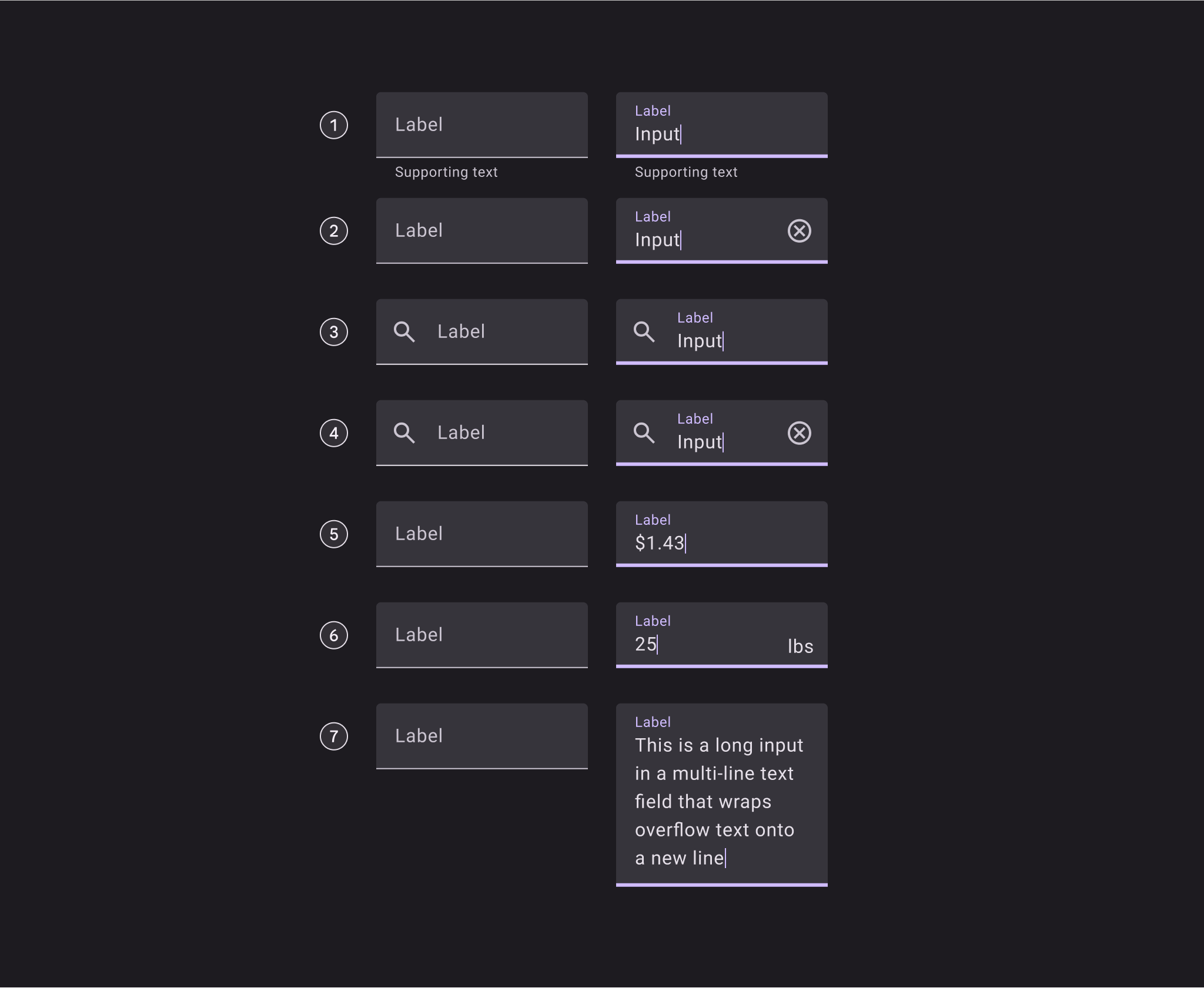
Filled text field configurations 填充文字欄位配置
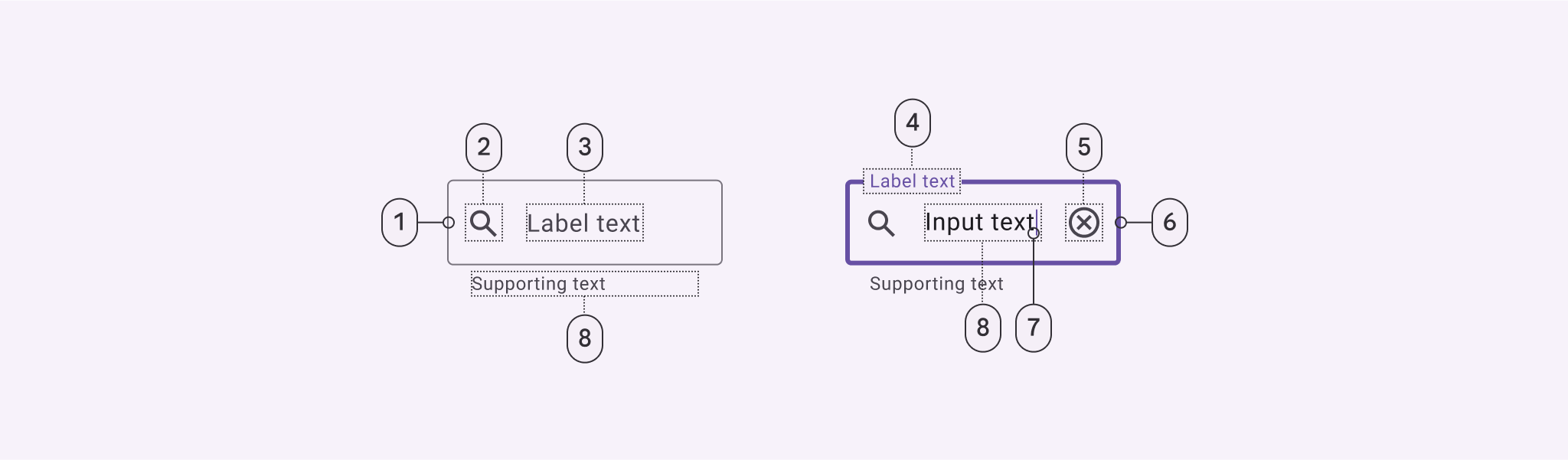
Outlined text field 輪廓文字框
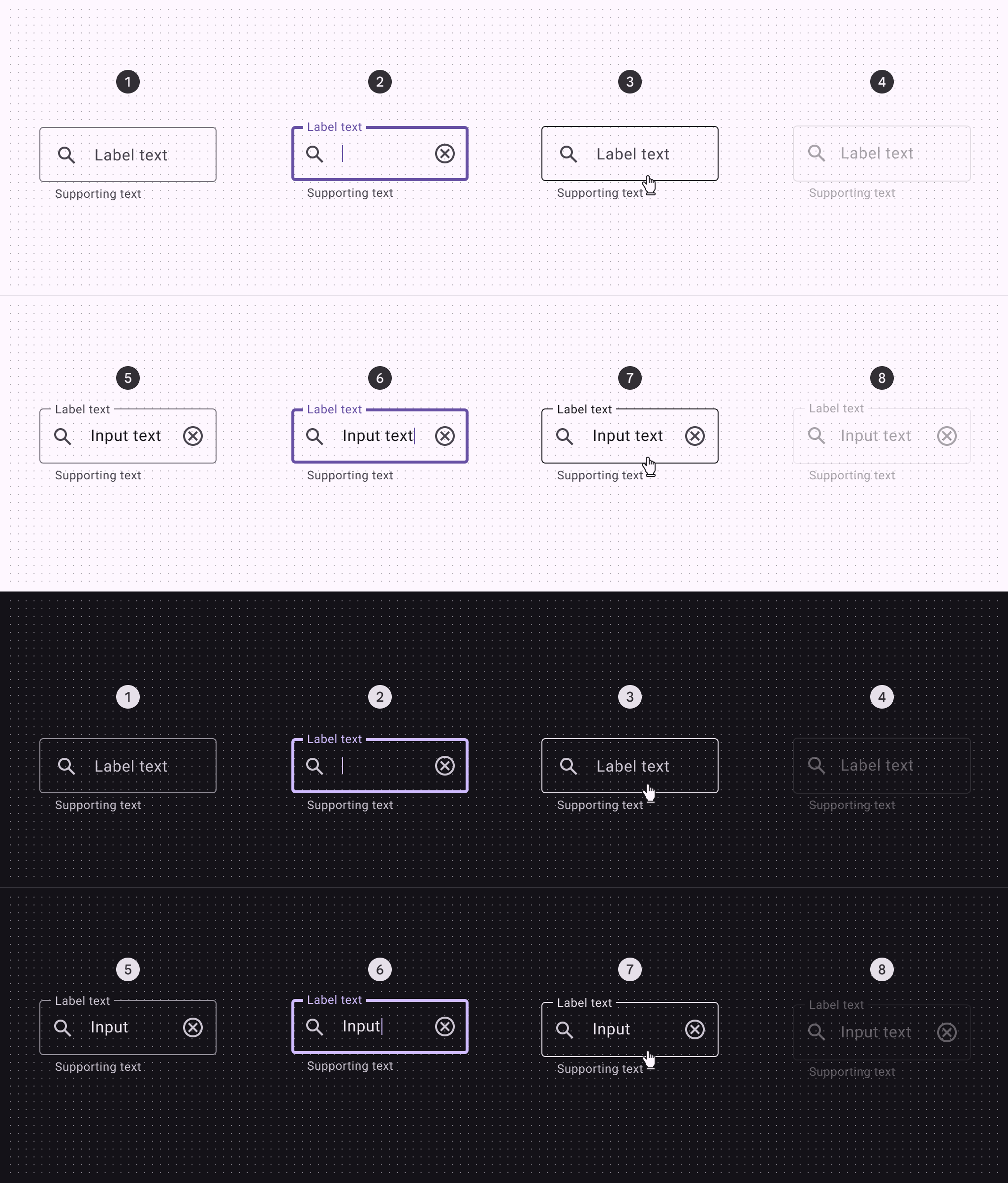
Outlined text field states輪廓文字欄位狀態
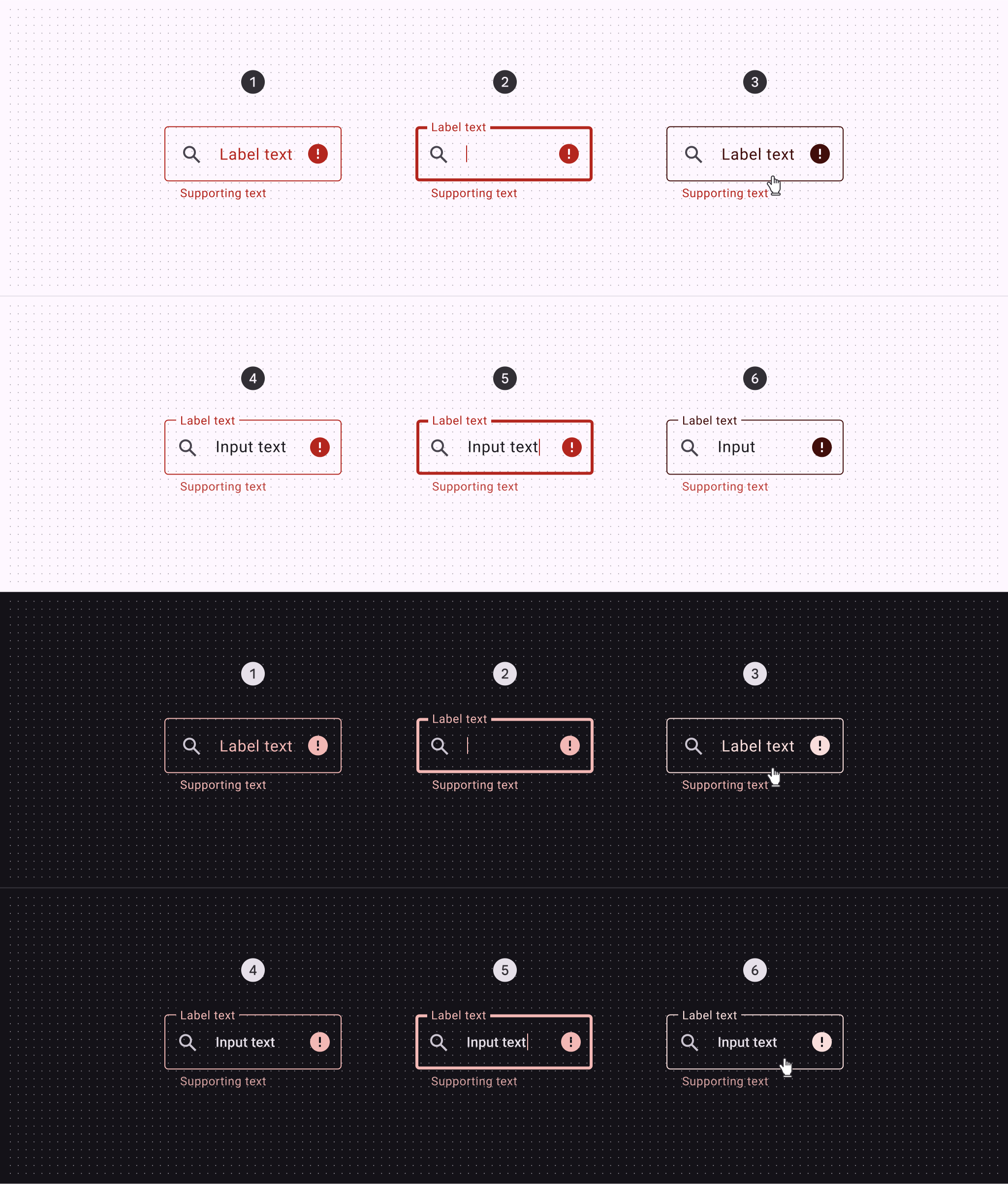
Outlined text field error states輪廓文字欄位錯誤狀態
當文字框出現錯誤時,系統會用紅色顯示提醒。在文字框下方會顯示簡單的解決方法說明,讓使用者知道如何修正問題。這些提示會一直保持顯示,直到使用者解決了問題。
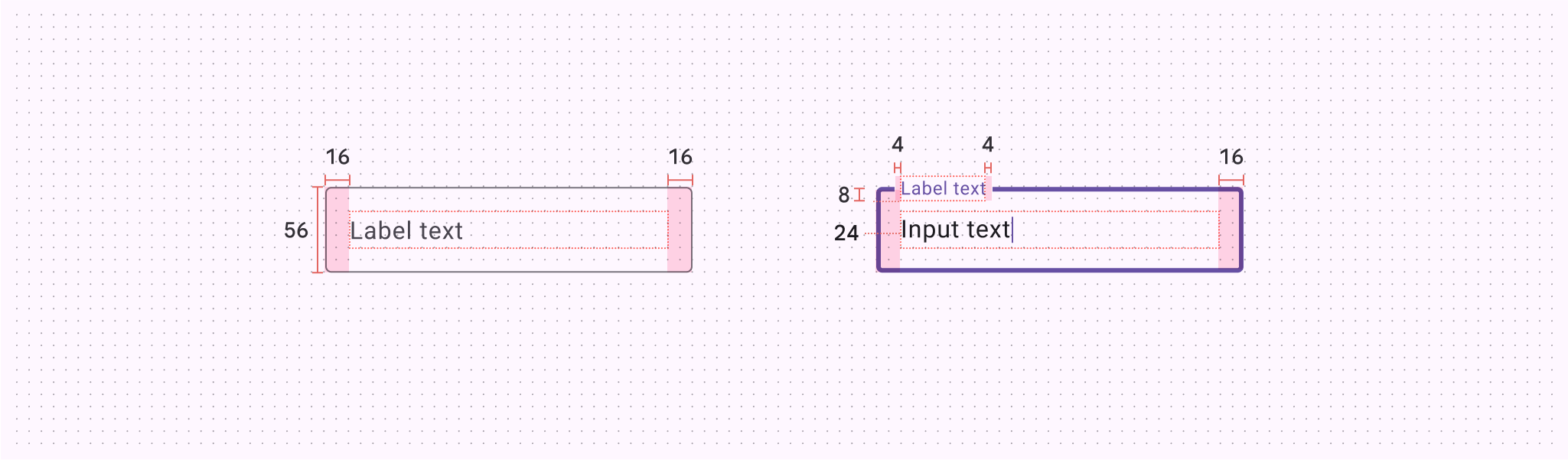
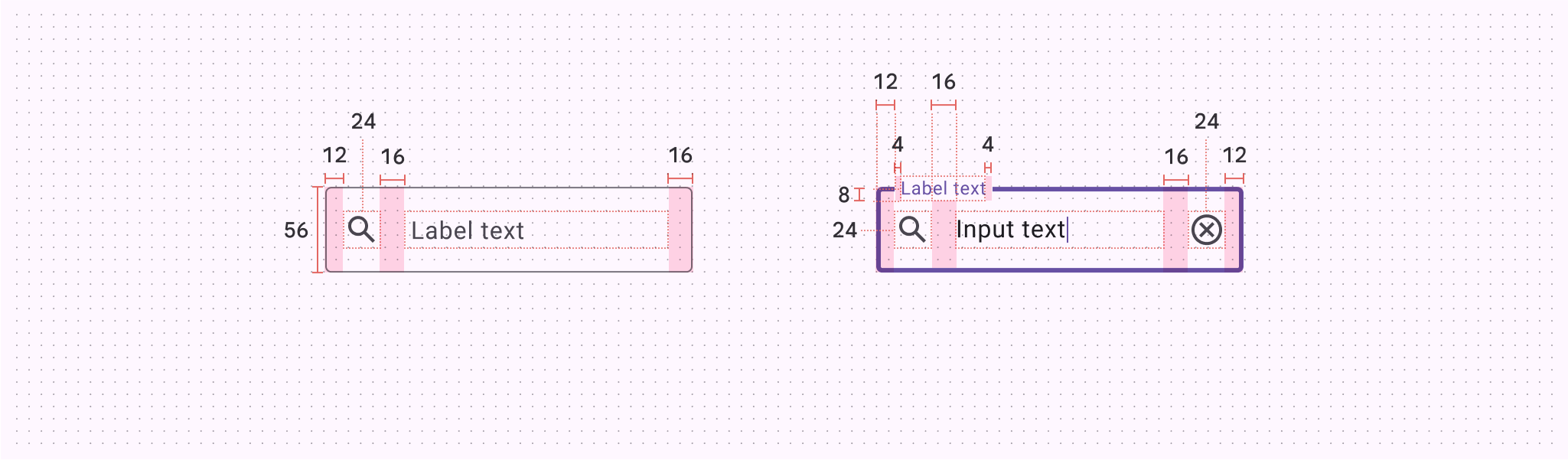
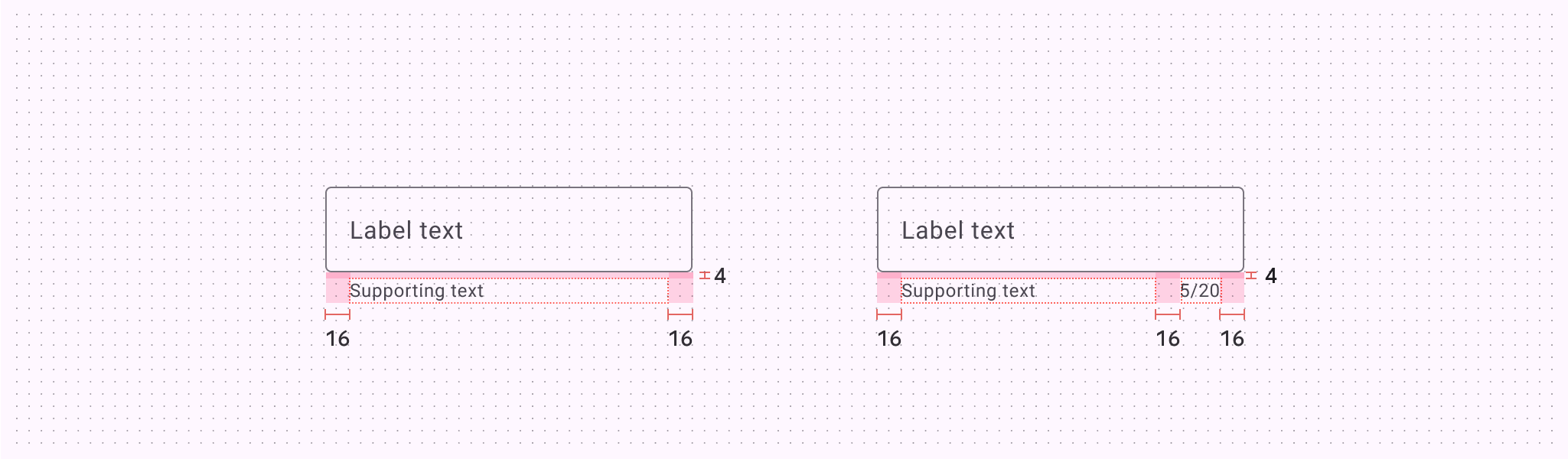
| Attribute 屬性 | Value 值 |
| Container height 容器高度 | 56dp |
| Left/right padding without icons無圖示時的左右邊距 | 16dp |
| Left/right padding with icons帶有圖示的左右內邊距 | 12dp |
| Padding between icons and text圖示和文字之間的填充 | 16dp |
| Icon alignment 圖示對齊 | Vertically centered 垂直居中 |
| Supporting text and character counter top padding支援文字和字元計數器頂部填充 | 4dp |
| Padding between supporting text and character counter支援文字和字元計數器之間的填充 | 16dp |
| Label alignment 標籤對齊方式 | Vertically centered 垂直居中 |
| Left/right padding populated label text左/右填充標籤文字 | 4dp |
| Target size 目標大小 | 56dp |
Outlined text field configurations 輪廓文字欄位配置